SMS opt-in & consent
What this page shows
This page shows how people agree to receive texts from 100 Days / 100 Ways Gift Texts. Consent is collected inside the mobile app, before purchase. A person buying a prepaid gift (the gifter) types the phone number of someone they know (the recipient). Before they can pay, they must check a required consent box on the Confirm gift screen. We then send that recipient one text with their prepaid unlock link. Daily prompts stay inside the app after unlock. We do not send marketing texts.
How opt-in works
These are screenshots of the real screens in the 100 Days / 100 Ways app, filled in with example data.
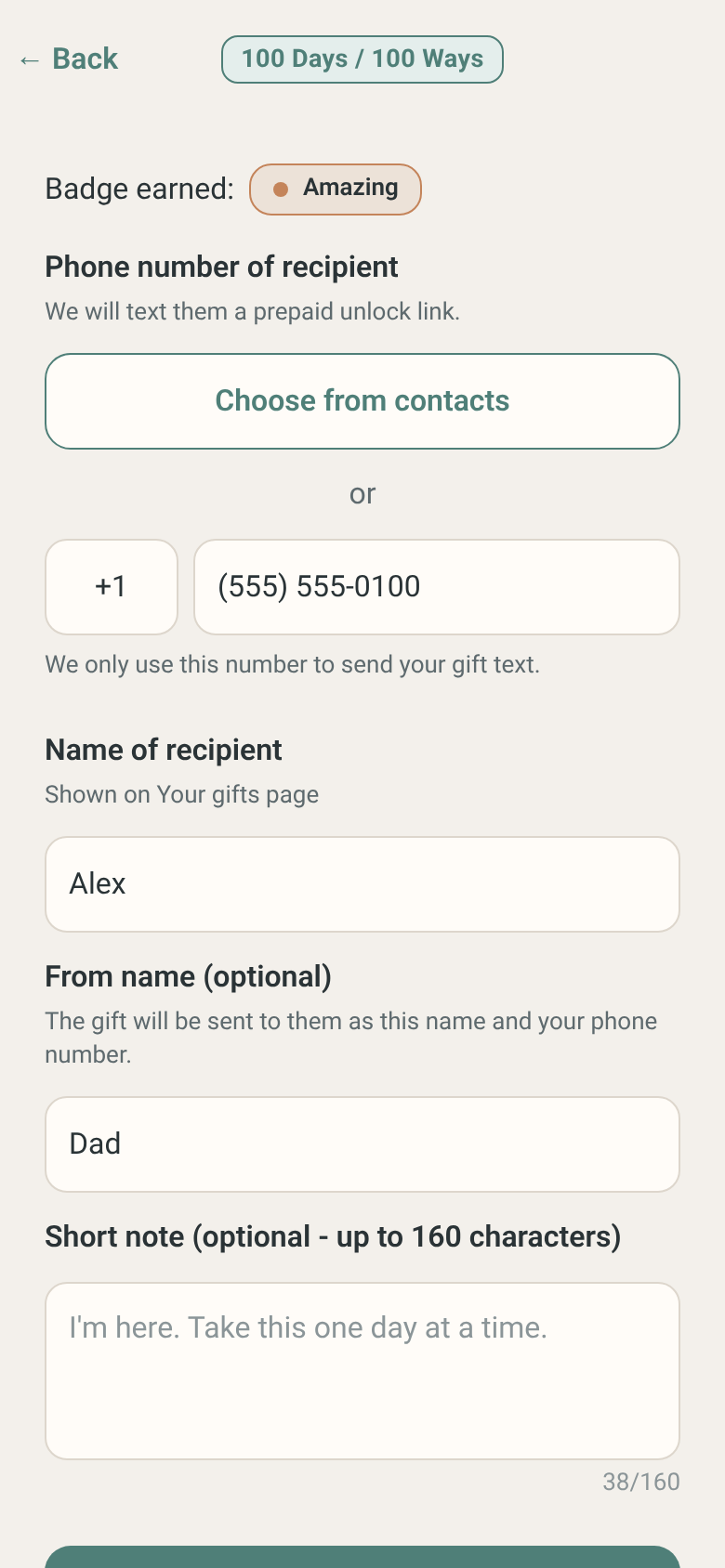
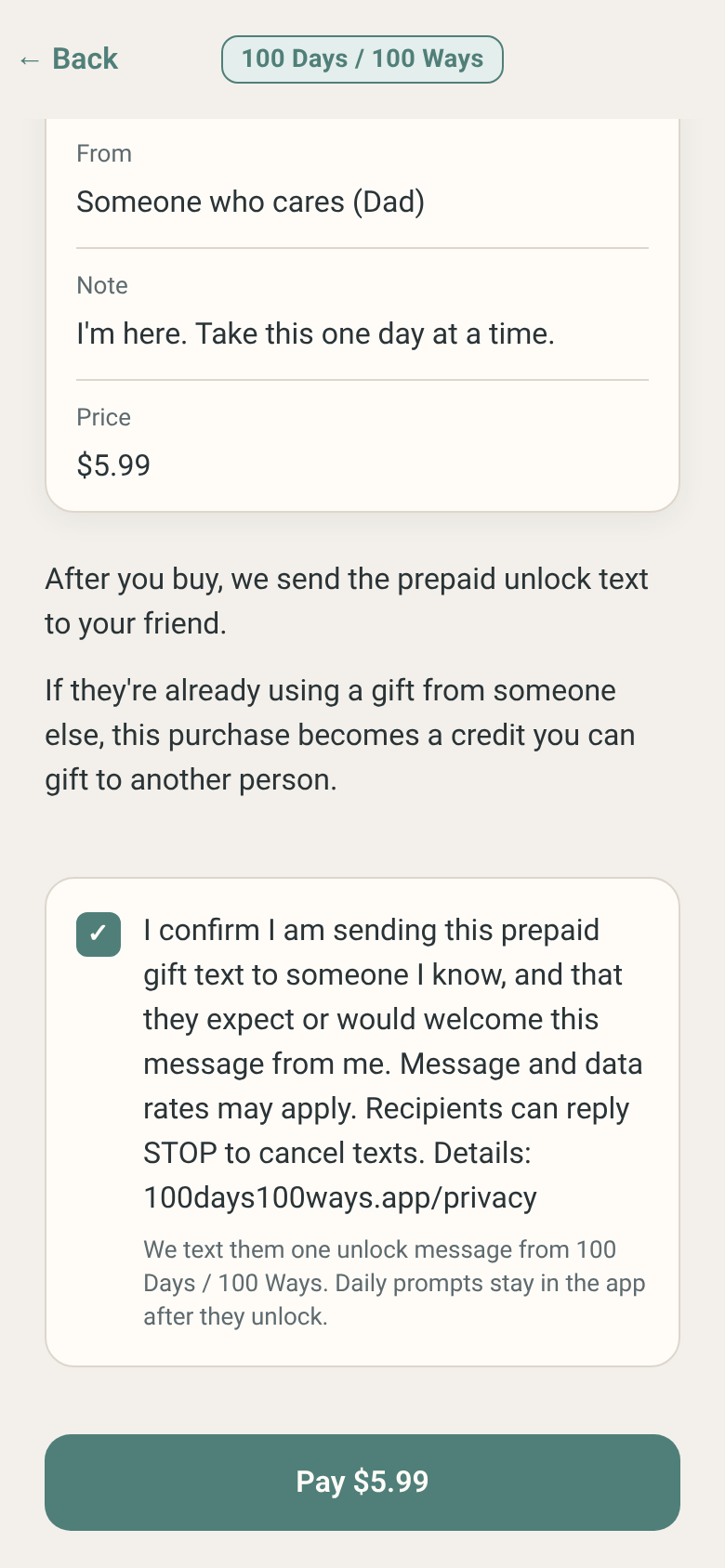
Sample of the opt-in form
This is a copy of the in-app form so reviewers can see the fields and the exact consent wording. It does not submit anything.
Send a prepaid gift text (sample only)
This is a sample for review only. The real form is inside the 100 Days / 100 Ways app for iPhone and Android. In the app, the Pay button stays turned off until the consent box is checked.
Program details
- Program name: 100 Days / 100 Ways Gift Texts
- What we send: one text with a prepaid gift unlock link, sent because a gifter bought a gift for that person
- Message frequency: one message per gift. Most recipients get only one text.
- Rates: Msg & data rates may apply.
- Opt out: Reply STOP to cancel. You will get one confirmation and no more texts.
- Help: Reply HELP for help, or email [email protected].
- Privacy: Mobile phone numbers and text message opt-in data are not shared with or sold to third parties or affiliates for marketing or promotional purposes. See our Privacy Policy.
- Terms: Terms of Use
Sample messages
These are the exact texts the app sends. The From name is optional and blank by default. If the gifter types one, it appears in parentheses after Someone who cares. If they leave it blank, the text just says Someone who cares. If the gifter writes a short note, it appears on the first line.
Example with a From name and a note
Someone who cares (Dad): "I'm here. Take this one day at a time."

100 Days / 100 Ways: Someone who cares (Dad) sent you a prepaid gift. Open your unlock link: https://100days100ways.app/u/EXAMPLE

Msg & data rates may apply. Reply STOP to cancel. Help: [email protected]
Example with no From name and no note
100 Days / 100 Ways: Someone who cares sent you a prepaid gift. Open your unlock link: https://100days100ways.app/u/EXAMPLE

Msg & data rates may apply. Reply STOP to cancel. Help: [email protected]
Contact
100 Days / 100 Ways
[email protected]
If you are in crisis, call 988 (US) or local emergency services.